Check whether the 1.1.3 fix applies
Use this route only for the rare issue named in the official patch notes: a player lost a Map station or crew table and needs to look for it again. The note identifies the affected items and ship cargo as their return location. It does not say that every missing furniture problem has the same cause, and it does not give an exact release date for 1.1.3.
If you are placing these objects for the first time, follow the normal ship setup in the first-day route instead. That route separates the crew table’s normal Decorator inventory path from the Map station’s normal cargo path.
Withdraw the item from ship cargo
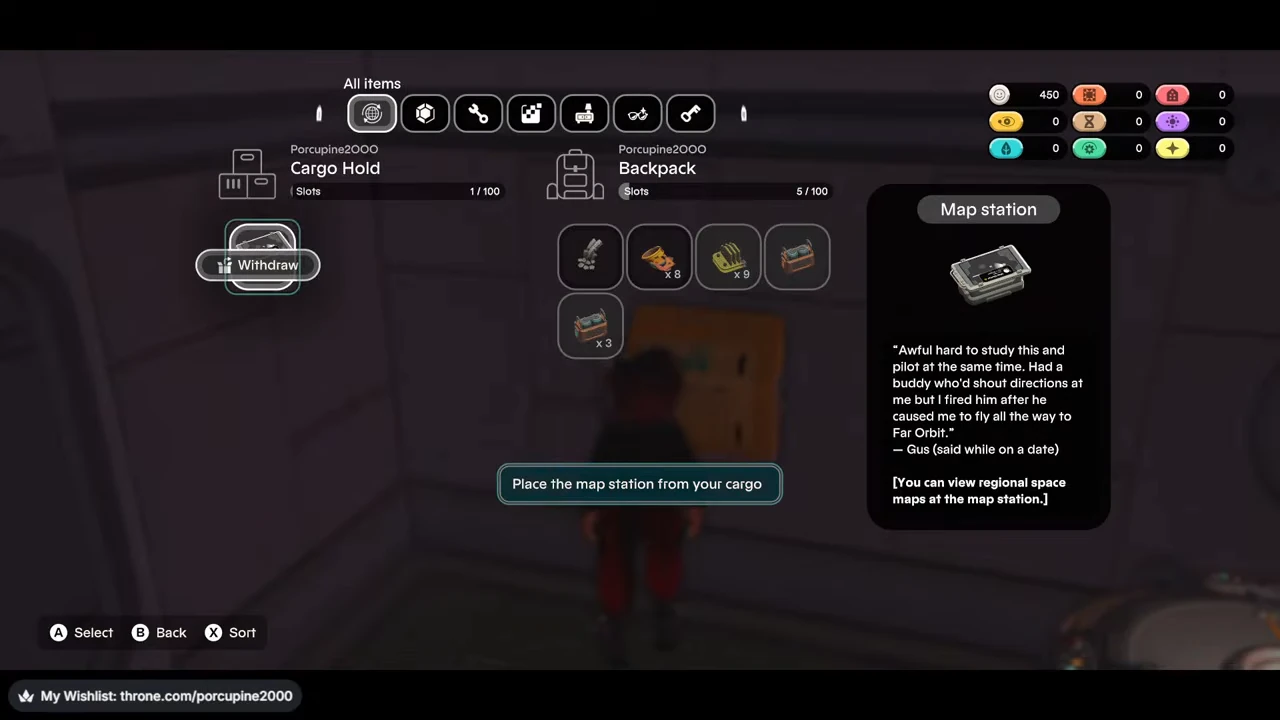
Open the cargo hatch inside your ship and inspect the Cargo Hold side of the inventory screen. Select the Map station or crew table if it appears there, then use Withdraw to move it to your backpack. Withdrawing is only the retrieval step; it does not place the furniture in the room.
Place it with Decorator
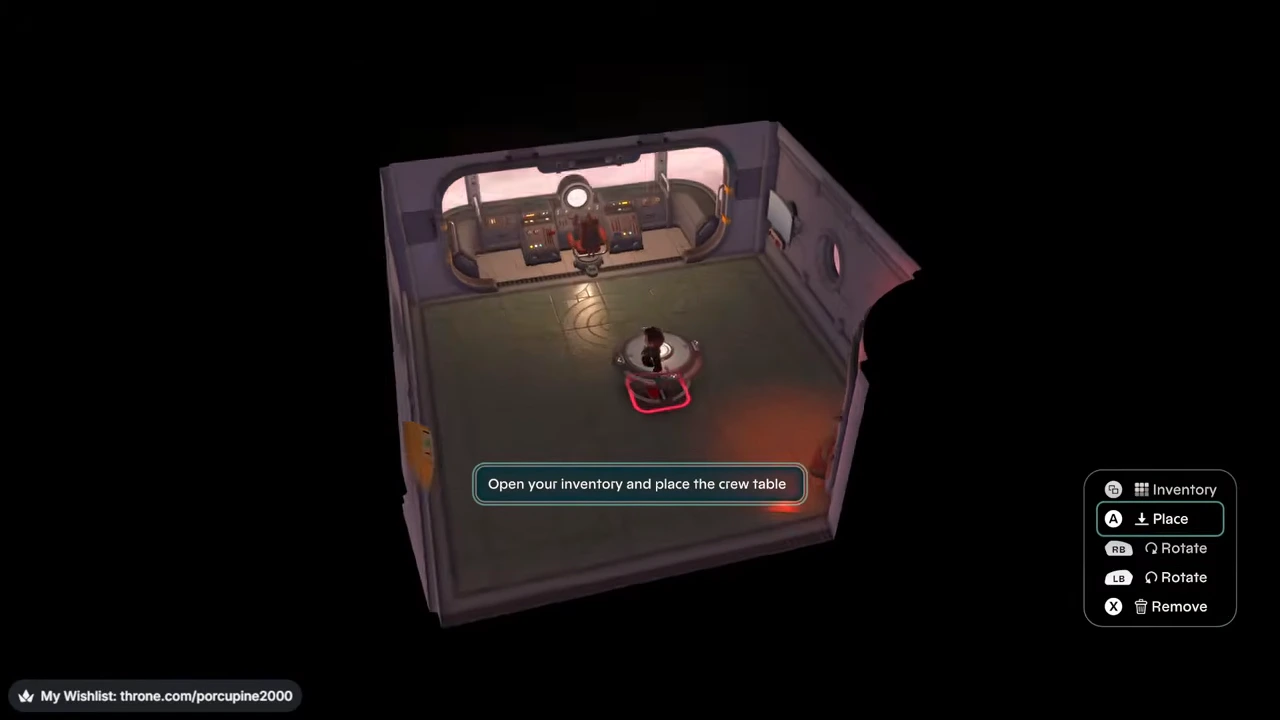
Enter Decorator and open its inventory. Select the withdrawn item, move it onto an open floor position and use Place. Finish decorating before trying to use the object. The pictured controller prompts may differ from your controls, so follow the action names shown by your game.
Check the crew table interaction
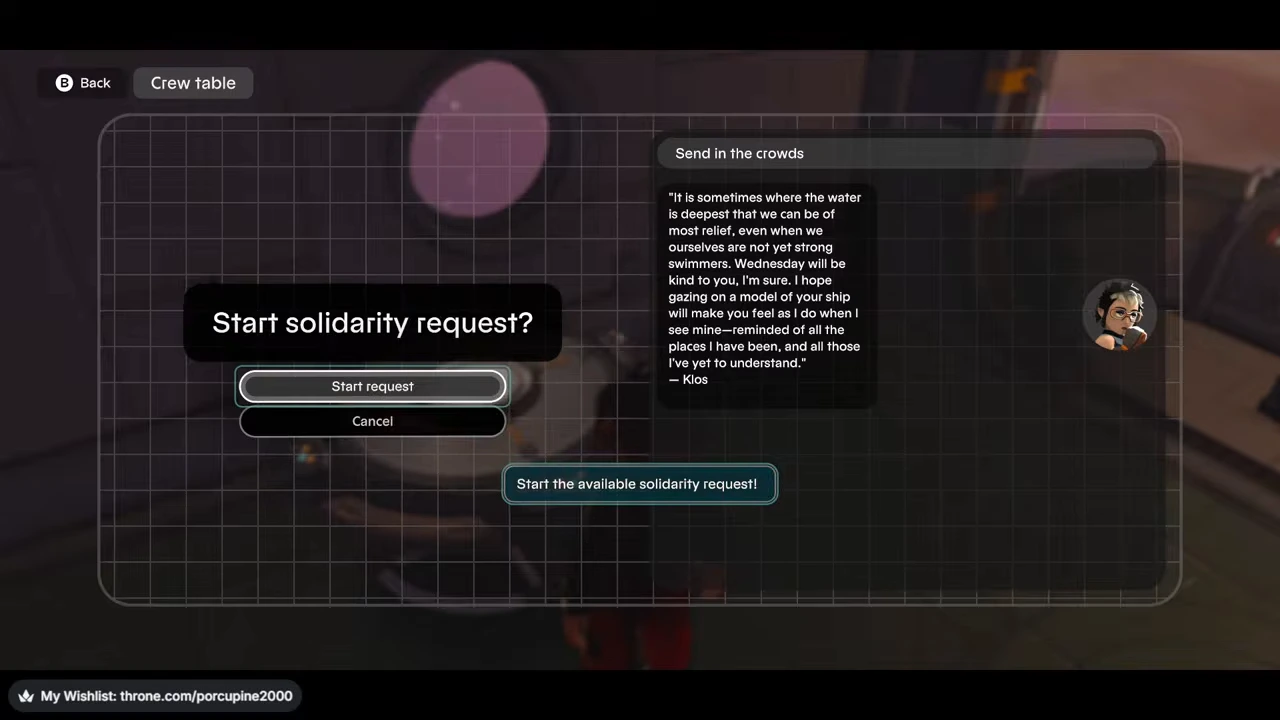
After leaving Decorator, approach a placed crew table and interact with it. In the ordinary recording, the table opens the solidarity-request interface. Reaching that interface shows that the placed object can be used.
Check the Map station interaction
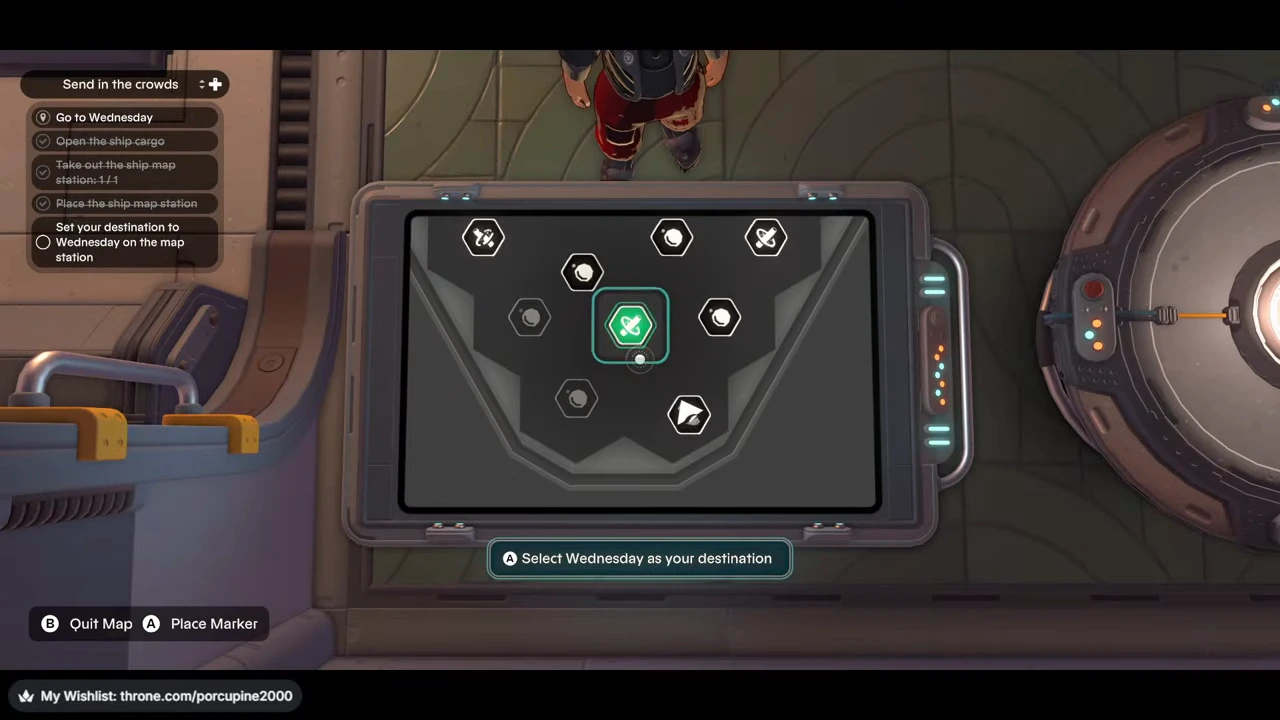
For a placed Map station, finish decorating, approach the station and interact with it. The ordinary recording opens the navigation display and lets the player select a destination. Seeing the navigation interface confirms the normal object interaction shown in that recording.
If the item is not in cargo
If the expected item is not in cargo, the official 1.1.3 note gives no next recovery step. It does not provide a replacement recipe, material cost, reset sequence or support procedure. Do not spend materials or reset progress based on an unverified workaround.