Start with the actual item and the current recipe
KO_OP describes recovered furniture, clothing and tools as things to repair, use, give away or donate. That feature description does not supply an item-specific repair bill.
The worked screens below come from a December 18, 2025 upload; its executable build and platform are unverified. KO_OP later reported recipe and resource-drop changes for the Xbox 1.0 launch. Treat these older cards as examples of what to inspect, not a current shopping list.
Identify the find before leaving the junk pile
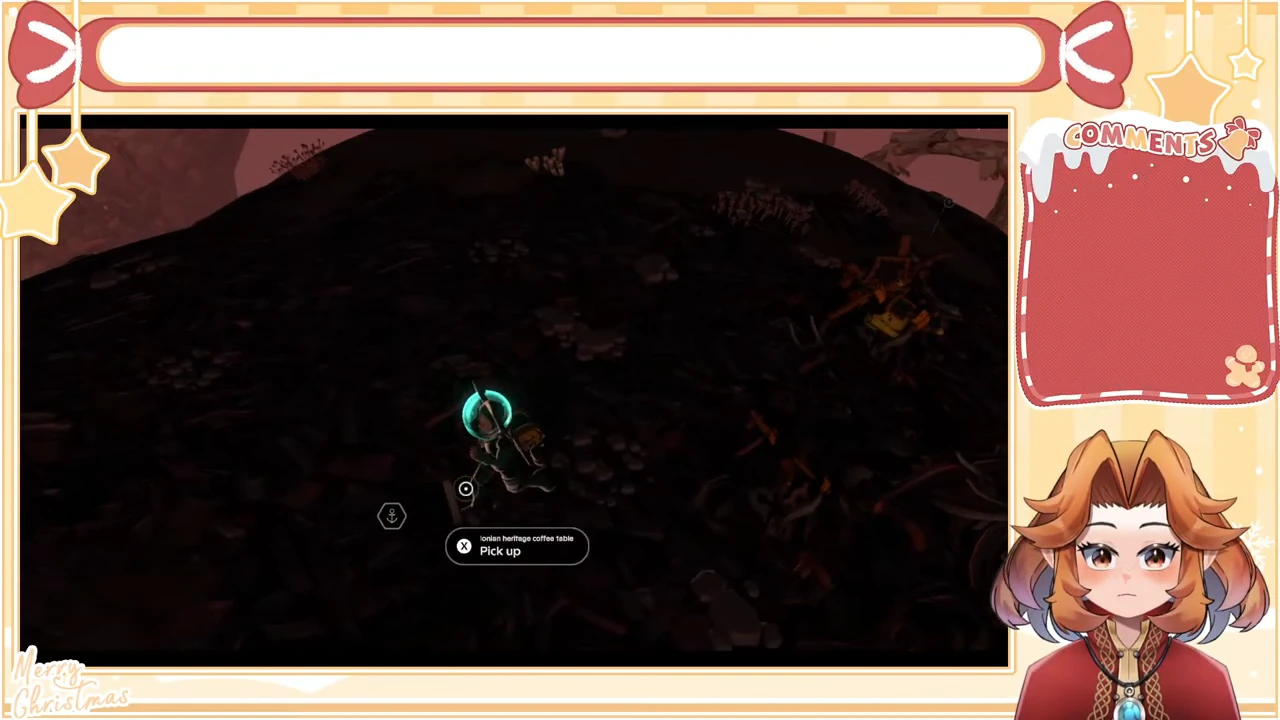
On the pictured junk-covered hillside, approach a Junk pile and hold the rummage action. Inspect the loose object afterward. The demonstrated find is labelled Ionian heritage coffee table, with X Pick up beneath its name. Use that precise name for your notes; this scene does not establish a guaranteed spawn location.
The first attempt produces Inventory Full. That is a failed pickup, even though the item name was visible. Resolve capacity before retrying, and keep objects required by active jobs. In this recording, other Decor is dropped before the player returns for the table.
Confirm collection, then return aboard
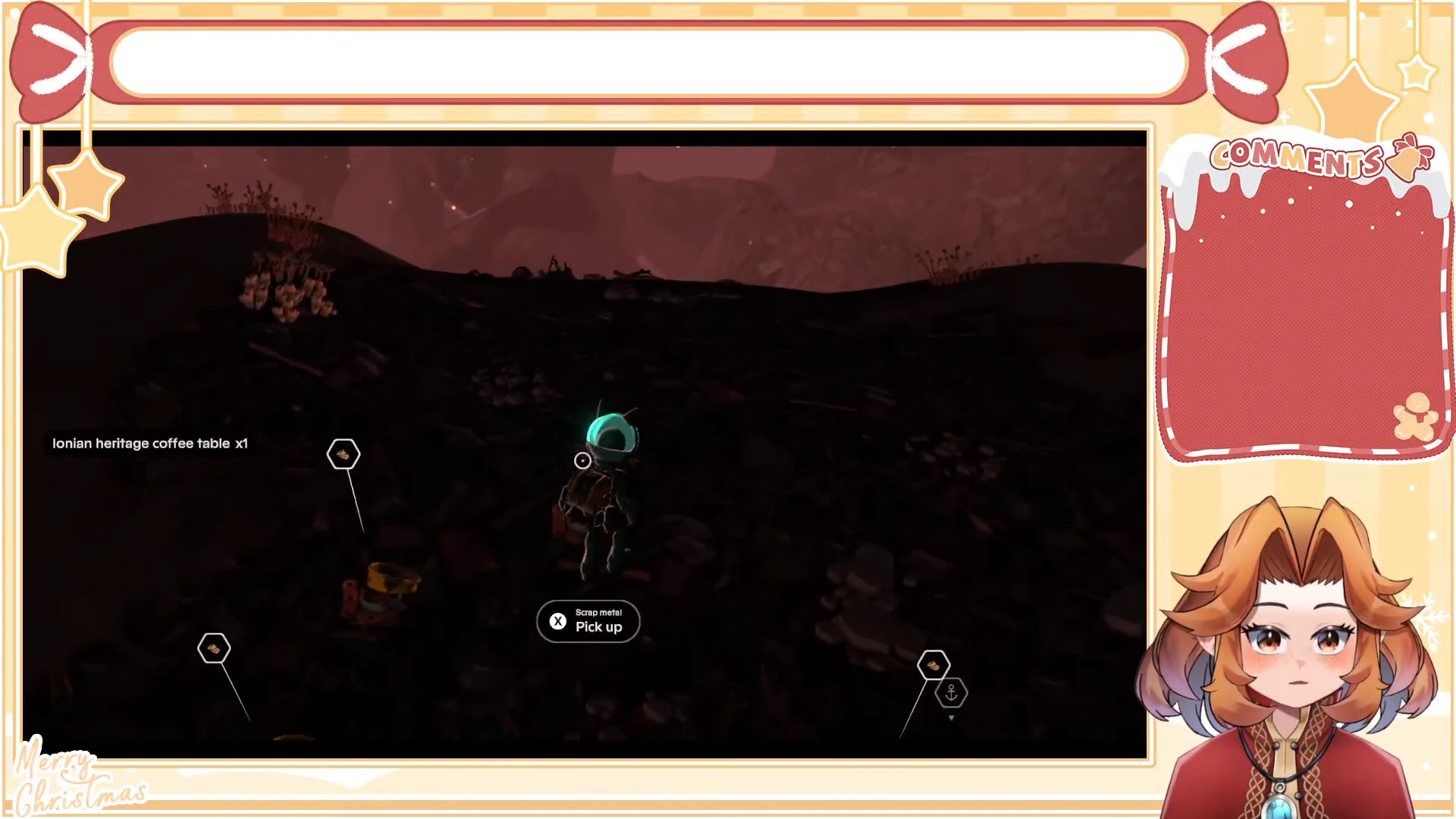
Return to the loose table after making space and use Pick up again. The later notification reads Ionian heritage coffee table ×1. That success message distinguishes the actual acquisition from the earlier failed attempt.
Finish this short collection trip and return to the ship. The footage next opens Backpack beside the ship’s map table with three furniture icons in Decor, including the low brown table. This is the return and inventory context for the storage sequence below; do not combine the earlier full-inventory warning with a claim of successful collection.
Keep the returned furniture with Store
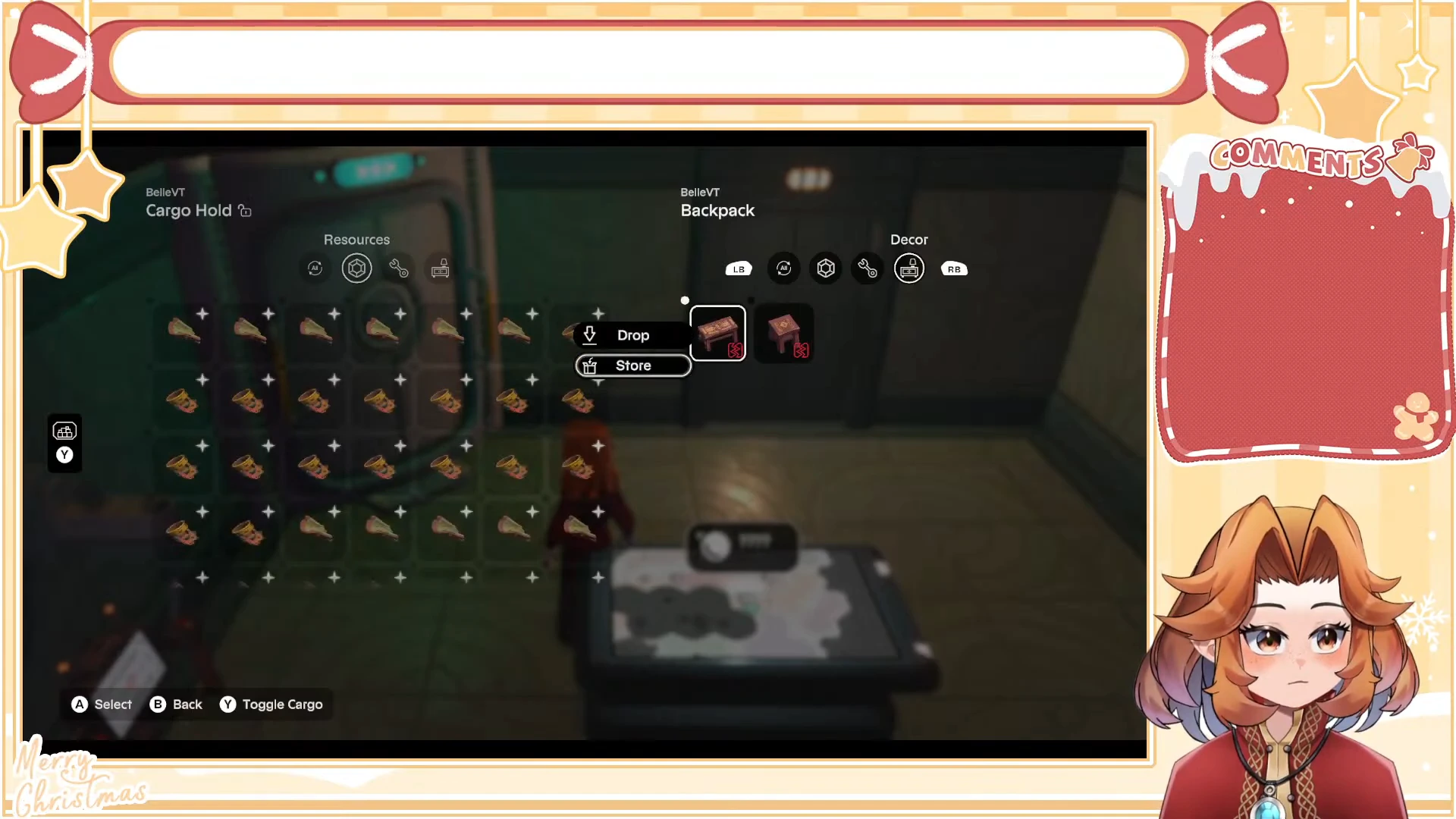
Aboard the ship, select the low brown table in Backpack’s Decor filter and choose Store. Drop is a separate option; choose it only when discarding is your intended result. The shown selection highlights Store before the table disappears from Backpack.
The paired view uses icons rather than repeating the pickup’s full name. Follow the low brown table icon you selected, then check its destination in Cargo Hold.
Verify the destination and keep repair separate
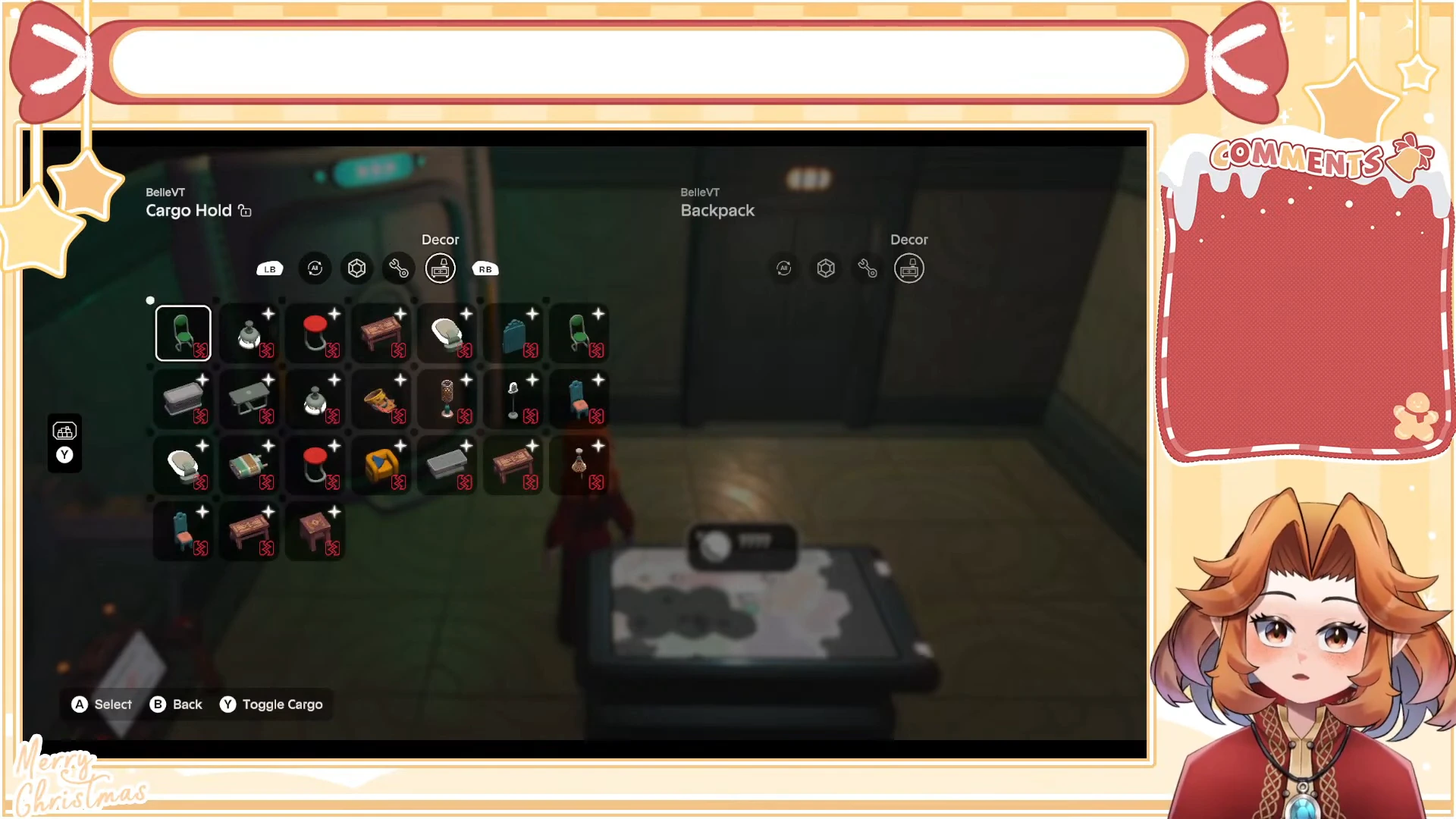
After the remaining furniture is stored, Backpack’s Decor filter is empty. Switch Cargo Hold to Decor: the stored furniture, including the low brown table icon, is visible on that side. Check the same filter on both panels so a Resources view does not hide the result.
This resolves where the recovered furniture is kept. It does not demonstrate repairing or installing that table. For a wanted repair, compare the exact current item card with its required materials; the following older lamp and table cards illustrate two different decisions.
Distinguish a repairable lamp from a table missing materials
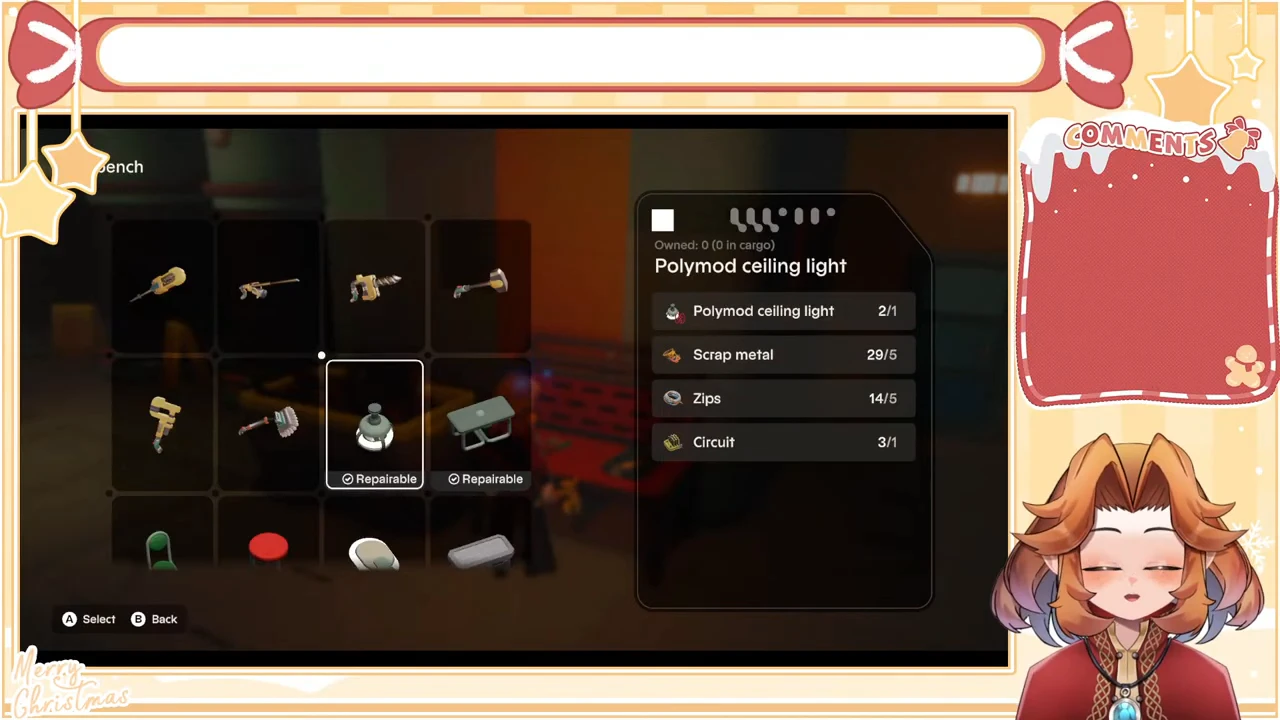
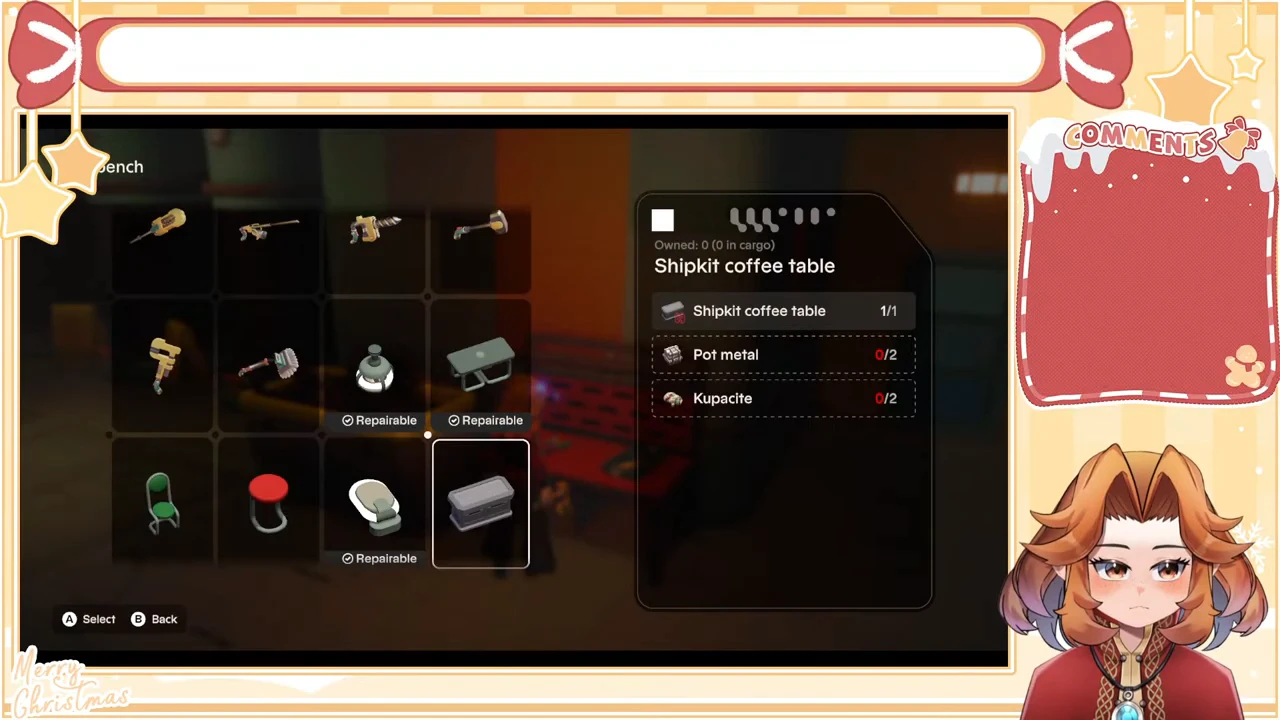
Open the workbench and select the exact furniture name. Read every ingredient row, including the furniture itself. The older Polymod ceiling light card has a Repairable label and enough of every displayed ingredient; the Shipkit coffee table card has two red shortages.
The quantities below are owned/required pairs in those recorded cards. Having the furniture is only one ingredient check; it does not satisfy missing repair materials.
| Recorded item | Card requirements and inventory | Decision from this screen |
|---|---|---|
| Polymod ceiling light | Light 2/1; Scrap metal 29/5; Zips 14/5; Circuit 3/1 | The card marks this repairable. It is available to select; no completed repair is shown here. |
| Shipkit coffee table | Table 1/1; Pot metal 0/2; Kupacite 0/2 | Keep the item if you want it, then find the two missing materials using your current recipe. |
Use the shortage to choose the next trip
The coffee table is already present at 1/1. Its missing Pot metal and Kupacite are the reason this recorded repair cannot proceed. Gathering another copy of the table would not resolve either shortage. Use the early destinations guide to choose a documented trip instead of treating this historical card as a current drop map.
Select one wanted item before spending a limited material that several repairs could share. For an unfamiliar or changed tool requirement, use the tool decision guide; do not substitute this old furniture bill for your current screen.
Choose a social destination only after checking your needs
Keep a wanted object or the materials needed for an active repair before giving anything away. The donation walkthrough shows a separate completed Sunpax transaction; it does not establish a furniture quote or furniture gifting result.
This example establishes a named pickup, a return aboard and a furniture storage sequence, plus separate historical repair-card comparisons. It does not establish a fixed drop location, completed furniture repair or gifting, or current recipe costs. Use your current item card when deciding what to repair next.